
Do you want to remove Remove Read More or Jump Break Link from your Blogger websites?
Best Blogging Tools 2026
Starting a blog? The table below provides a quick overview of the best blogging tools to boost productivity, streamline your workflow, and drive more traffic in 2026.
| Tool | Use Of | Free Version | Pricing |
|---|---|---|---|
| Semrush | Keyword research, SEO analytics, and competitive insights for content growth | ✔ Yes | $165.17/mo |
| Jasper | AI-powered content generation and writing assistance | ✖ No | $59/mo |
| Grammarly | Grammar, spelling, and style checking for polished writing | ✔ Yes | $12/mo |
| Canva | Easy graphic design and visual content creation | ✔ Yes | $12.99/mo |
| Leadpages | Creating high-converting landing pages and lead generation funnels | ✖ No | $37/mo |
Some of you might be facing a problem in styling the read more link in default Blogger templates. In order to apply the style effects to such templates you will first need to remove the read more link provided by blogger and install a custom read more link or button in less then 5 minutes. In this short tutorial I will let you know how to Remove Read More or Jump Break Link in Blogger.
Note: I always recommend to take a backup your present blog template. Because If you’ve got something wrong after doing changes then you can restore your websites with backup files.
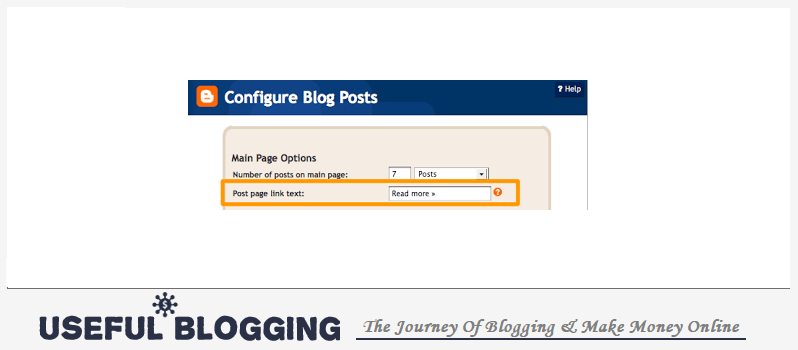
Remove Read More Link in Blogger
You just need to apply my following tricks to remove Read More or Jump Break link in Blogspot websites.
#1. Go to Blogger > Design > Edit HTML
#2. Backup your template
#3. Click the “Expand widget Templates” Box
Search for this,
<data:post.body/>
#5. And just below it find and remove this code,
#6. Save your template and you are done!
Final Words
It was really a simple trick to remove Read More or Jump Break Link from Blogger sites. I hope you’re able to do this things by yourself. If can’t do or anything wrong just follow up me with comment. Thanks for sharing my articles.

I am trying to do just that; remove the Read More from my new blogger site, but I am not able to find the code (i even used the find tool). Is there an alternative to doing this?
Thanks