
In this short tutorial I’m going to share an important things about Blogger.
Best Blogging Tools 2026
Starting a blog? The table below provides a quick overview of the best blogging tools to boost productivity, streamline your workflow, and drive more traffic in 2026.
| Tool | Use Of | Free Version | Pricing |
|---|---|---|---|
| Semrush | Keyword research, SEO analytics, and competitive insights for content growth | ✔ Yes | $165.17/mo |
| Jasper | AI-powered content generation and writing assistance | ✖ No | $59/mo |
| Grammarly | Grammar, spelling, and style checking for polished writing | ✔ Yes | $12/mo |
| Canva | Easy graphic design and visual content creation | ✔ Yes | $12.99/mo |
| Leadpages | Creating high-converting landing pages and lead generation funnels | ✖ No | $37/mo |
Most of the blogspot user want to Remove Navbar from their blogs. The navigation bar is that bar that appears on top of your blogger’s blog with features like search, next blog, flag blog and the rest of them. It’s got cool features though but many believe it gives their blog some kind of ugly look. I bet you don’t like too, else you won’t be reading this tutorial.
If you are using Blogger default templates, you notice a navigation bar at the top of your blog. So, this article basically about removing Navbar in Blogger.
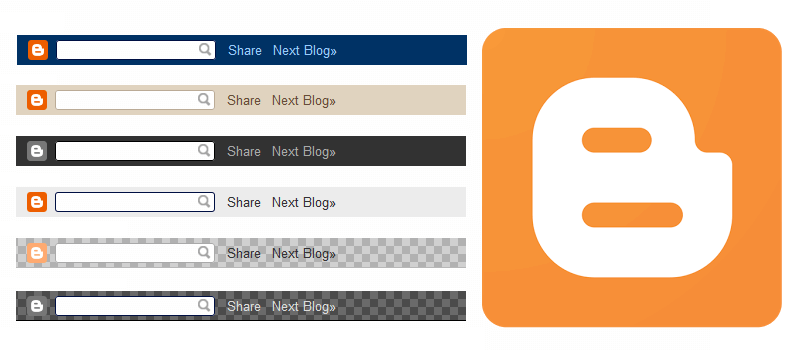
If you want to hide or remove Navbar (Navigation Bar) in blogger websites then follow this first way. It’s really easy and simple.
1. Go to the Layout section.
2. Click on “Edit” link of Navbar widget and you should be in the Navbar Configuration window.
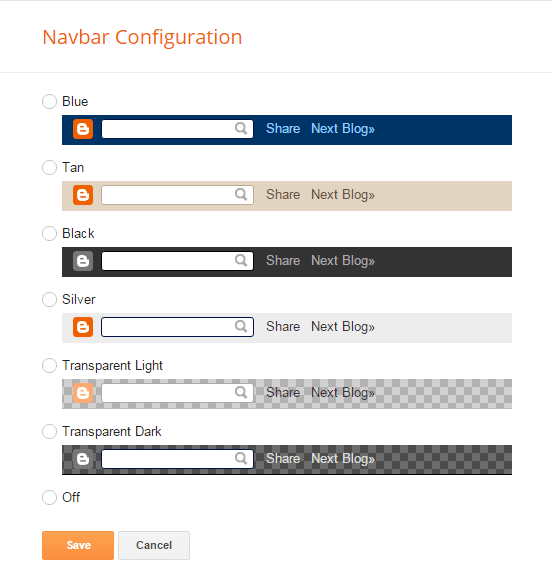
3. Choose “Off” and click on “Save” button.
4. You’re done!
This trick will give you a way to remove navigation bar from blogger websites. Just simple use the following CSS.
1. Sign In to Your Blog and Click on Layout
2. Now Click on Edit HTML

3. Now paste this code as shown in the image below
#navbar {
height: 0px;
display: none !important;
}
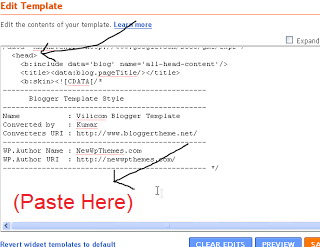
4. You’re done!
Final Thoughts
Now go check your blog and you’ll find out the Navbar is gone. I hope you’re enjoyed my tricks about hide or remove Navbar in Blogger. Please share it with others!
