
Looking for best WordPress download manager plugins your or clients websites? It’s quite big challenge to find a best WordPress plugin to manage file upload, download, document along with membership and eCommerce solution.
Must-Have WordPress Plugins 2026
Do you have a WordPress website? In the table below, we’ve listed 5 must-have WordPress plugins that are essential for any type of website.
| Plugin | Use Of | Free Version | Price |
|---|---|---|---|
| Rank Math | SEO optimization and on‑page ranking improvements for WordPress sites | ✔ Yes | $7.99/mo |
| Perfmatters | Speed and performance optimization by disabling unnecessary features | ✖ No | $29.95/year |
| UpdraftPlus | WordPress backup and restore management | ✔ Yes | $70/year |
| All-In-One Security (AIOS) | Comprehensive security hardening and malware protection | ✔ Yes | $70/year |
| Gravity Forms | Advanced, customizable form building and data collection | ✖ No | $59/year |
Don’t worry! I will make it easy for you through compiling the best WordPress file management. I’ve been using WordPress for a long time. So, I think it will be more easy for me to tell you what’s the top file manager plugin for WordPress.
I did a long research on this specific topic and reviewed most of the plugins which are really good for document, download and file management. So, I think these WordPress plugins are perfect to manage your website file downloads and documents where you may need one.
We’ve lots of exclusive reviews on this blog but this is one of the very important review. Because, most of the following WordPress plugins are using to sell products online or manage website documents.
You may read: Best WordPress Membership Plugins
Most of the plugins are actually described as best WordPress download managers, but they also do the job of document and file management perfectly. Read more to know which WordPress plugin is best for selling digital downloads and creating downloadable responsive documents tables.
Best WordPress Download Manager Plugins
Don’t be confused anymore! I’ve written details about following WordPress download manager plugins for making more easier to choose the best one.
Let’s check out the best document, file and download management plugins for any WordPress powered website.
1. WP Download Manager
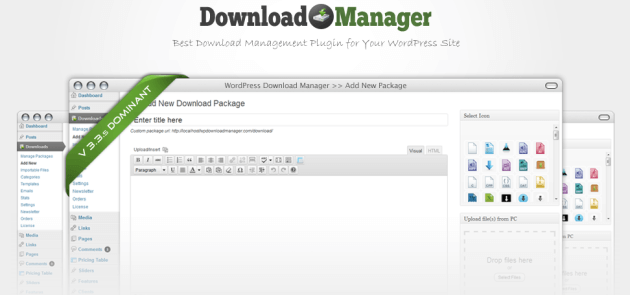
WP download manager is a top-rated file management plugin for WordPress website. It’s not just a plugin to manage your WordPress file, but also a complete eCommerce solution for selling digital products online.
You can use multiple file with single entry at front-end those files will be downloaded as a zip. And chunk upload option helps you to override the max upload limit of server and you can see progress with upload progress bar.
This plugin compatible with Yoast WordPress SEO plugin and All in One SEO pack. Further, it will support custom URL, XML Sitemap and RSS feed.
So, the WP Download Manager is best file and document management plugin along with selling digital products from your WordPress site. We’ve shared a separate article for reviewing this plugin. In that WP Download Manager Review you will get more details along with pros, cons, and bonus features.
2. WP File Download
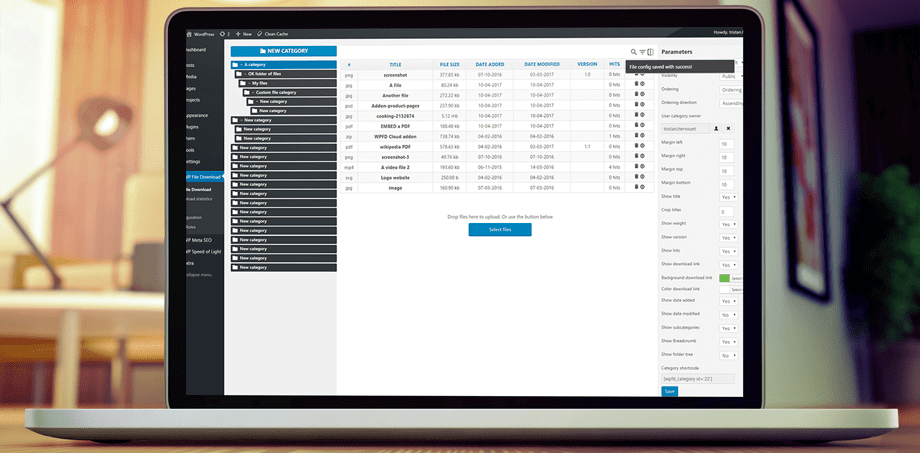
WP File Download is the easiest, yet another powerful WordPress file manager. It serves you with a lot of professional features to manage WordPress files. The files can be made public or private and you have full control over the users that have access to your files.
Main features:
- 4 Responsive themes with file categories
- AJAX navigation for the public
- SEO file URLs
- Remote Download
- Highly-flexible full-text search engine
- Google Drive + Dropbox + OneDrive integrations with double way file sync
- Email notification on file modification – Download statistics
3. Document Library Pro
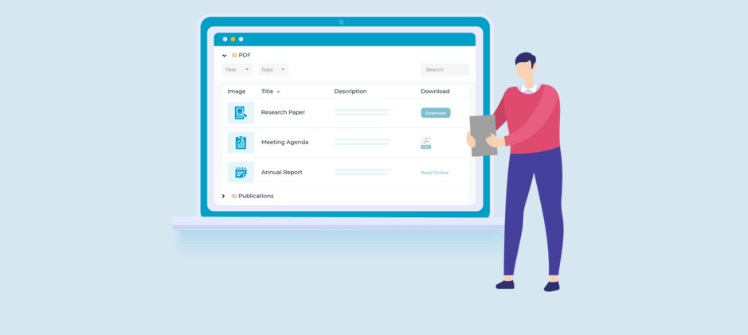
Document Library Pro is the easy way to manage and display your documents them on any WordPress website. Use it to list any type of WordPress file or resource including PDF’s, images, audio, video and web links. You can choose whether to structure your documents into folders or list them all in a table.
WordPress document library plugin comes with over 50 features, and constantly adding more. Combine them in right ways to create unique document libraries to suit your exact requirements.
4. Use-your-Drive

Integrating Google drive into WordPress is not easy work. Use-you-Drive will help you to easily integrate Google Drive into your WordPress website or blog. It allows you to view, download, delete, rename files & folders directly from a WordPress page.
You can use Use-your-Drive as a File browser, Gallery, Audio- or Video-Player!
5. File Manager Plugin for WordPress
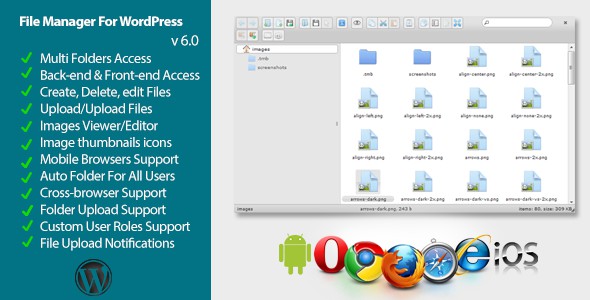
Easy to use WordPress File Manager plugin, which enables the users to view, edit and create files in the WordPress folder and its sub-folders. It has simple and elegant interface and can be easily used even by beginners. It has Windows-styled GUI, context menu (right click menu) shortcuts and image editing capabilities.
6. Simple Download Monitor

Simple Download Monitor will help you to easily manage downloadable files and monitor downloads from your WordPress site. This plugin is very useful for managing and tracking your digital file download counts. You can password protect your downloadable files and documents too (visitors will require a password before downloading the file when you use this option). There is an option to show an ajax file tree browser so your visitors can browse all your files and download the ones they want.
7. File Manager
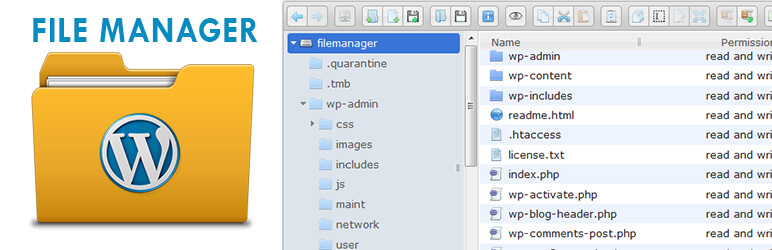
File Manager is a free plugin to edit, delete, upload, download, copy and paste files and folders directly from the WordPress backend. You can easily copy, move files folder or any files from one location to another location without using FTP.
File Manager currently has 400,000+ active installs with a 5 out of 5-star rating. It’s the most efficient, flexible, and easiest WordPress file management solution ever built!
8. Download Monitor

Download Monitor provides an interface for uploading and managing downloadable files (including support for multiple versions), inserting download links into posts, and logging downloads.
9. Advanced File Manager
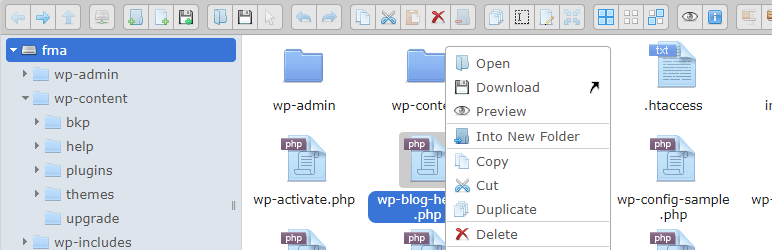
Advance File Manager is a tool for WordPress files management. Features included with edit, delete, upload, delete, download, zip, copy etc multiple operations, No need of any cpanel and FTP. You can access files inside and outside WordPress root directory.
10. Bit File Manager
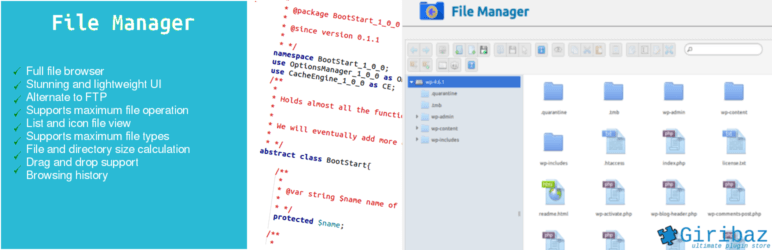
Bit File Manager is a powerful and user-friendly WordPress plugin. You can upload, delete, copy, move, rename, archive, extract files. You don’t need to worry about ftp any more. It is really simple and easy to use. Just install the plugin following standard WordPress plugin install process. All the file management in one place.
11. Easy Digital Downloads

Easy Digital Download is yet another popular WordPress eCommerce plugin to sell digital products. From eBooks, to WordPress plugins, to PDF files and more, it makes selling digital products a breeze. Also, there’s so many Easy Digital Downloads WordPress themes which help you to build great looking store. It has hundreds of extensions which will give you more options to manage digital downloads.
Instead of focusing on providing every single feature under the sun, Easy Digital Downloads tries to provide only the ones that you really need. It aims for selling digital downloads through WordPress website.
Main Features:
- Cart system for purchasing multiple downloads at once
- Complete promotional code system
- Many payment gateways. PayPal and Manual are included by default with Stripe, PayPal Pro, PayPal Express, and others available as add-ons
- Complete payment history
- User purchase history and ability to re-download files
- Multiple files per downloadable product and more…
Conclusion
I’ve tried to give best solution for your WordPress download and document management plugins. Hope it will help to find your desire download manager plugin. Don’t forget to share your thoughts about our blog to your social feeds.
WordPress Download Manager Plugins FAQs:
What is WordPress download manager plugin?
A WordPress download manager is a plugin that enables users to perform file management tasks from the WordPress dashboard.
How do I make a file downloadable in WordPress?
You can install a plugin like WP download manager and simply add a file. It will create a shortcode which you can insert in a page or post where you want to add a download link.
Are these WordPress download manager plugins free?
Yes, most of the WordPress download manager plugins have free pan and also have paid plans with more options.

“Hi,
Thanks for creating this wonderful content and Listed our file manager plugin with it.
I was wondering if you could add our official website along with it, that would be really grateful.
i am hoping your reply.
Thanks”
We’ll add it in next update! Thanks!
Thank you @Ataul, we really appreciate your effort.
Even your updated version of this post from 2016 has wildly deprecated plugins that have not been supported for years in some cases… please purge the old data instead of piling more word on your post for SEO.
May be something wrong with old backup files. BTW, You can see the update now. Let me know if still anything wrong there. Thanks for your comment!
A single of the most valuable capabilities of the new console generation is the quantity of
customization we have more than standby modes.
Yeah, That’s right… :)
These are some great file management plugins. WordPress is a popular CMS, but it’s also a bit complicated for non-technical persons. In the backend a lot of things are going on. These plugins can really help if someone uses them judiciously.
Brian, you’re right. I hope this plugins will be very helpful and stay with usefulblogging and keep share useful items with others.