
Google Analytics is the best statistic generation service provided by Google about your website’s sales, traffic sources, traffic, etc. And WordPress is the world’s best CMS platform, so you might need to use Google Analytics plugins for your website. Here is a collection of the best WordPress Google Analytics plugins. Using these plugins, you can get the best WordPress Google analytics for your WordPress website.
Must-Have WordPress Plugins 2026
Do you have a WordPress website? In the table below, we’ve listed 5 must-have WordPress plugins that are essential for any type of website.
| Plugin | Use Of | Free Version | Price |
|---|---|---|---|
| Rank Math | SEO optimization and on‑page ranking improvements for WordPress sites | ✔ Yes | $7.99/mo |
| Perfmatters | Speed and performance optimization by disabling unnecessary features | ✖ No | $29.95/year |
| UpdraftPlus | WordPress backup and restore management | ✔ Yes | $70/year |
| All-In-One Security (AIOS) | Comprehensive security hardening and malware protection | ✔ Yes | $70/year |
| Gravity Forms | Advanced, customizable form building and data collection | ✖ No | $59/year |
These plugins will guide you through the steps of adding Google Analytics to a WordPress site. So you’ll be able to put the Google analytics code in WordPress.

Best Google Analytics WordPress Plugins:
Here’s the ultimate collection of best WordPress Google analytics plugins that you should try. Let’s check it now:
1. Google Analytics Dashboard Plugin

Google Analytics Dashboard Plugin is the best for easy analytics. If you wanted to add powerful features like events tracking, eCommerce tracking, etc. MonsterInsights made it “effortless” to properly setup Google Analytics in WordPress. Yes, you can enable all advanced Google Analytics features with just a few clicks.
Here’s the shot list of some awesome features:
Audience Report helps you get to know your visitors in a whole new way.
Behavior Report shows you exactly how people find your website, which keywords did they search for, who referred them, what did they click on your site, and more.
Ecommerce Report shows you important store stats like total revenue, conversion rate, average order value, top referral sources, and more.
Content Report shows you stats on exactly which content gets the most visits, so you can stop guessing and start creating content that gets more traffic and conversion.
Search Console Report shows you exactly how well your website is ranking in Google.
2. GA Google Analytics

GA Google Analytics adds your Google Analytics Tracking Code to your WordPress site. Inserts tracking code only, view your stats in your Google account.
3. Google Analyticator

Google Analyticator adds the necessary JavaScript code to enable Google Analytics. Includes widgets for Analytics data display.
Event tracking support with outbound links
Download link tracking support
Widget support
Admin dashboard
4. WP Google Analytics Events
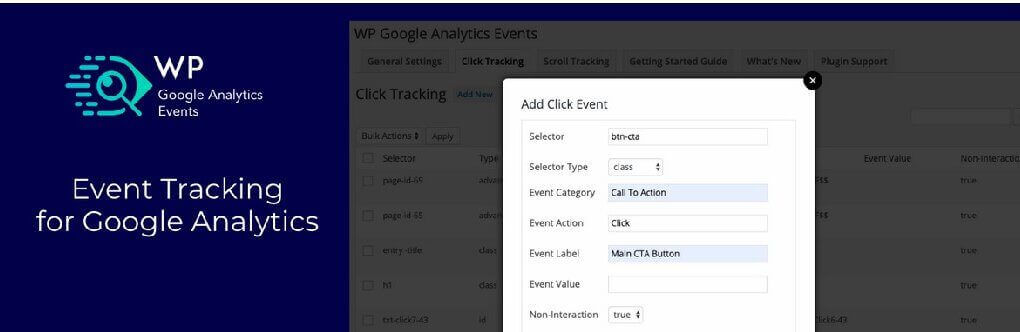
WP Google Analytics Events adds the Google Analytics code to your website and enables you to send events on scroll or click.
5. Google Analytics Dashboard for WP
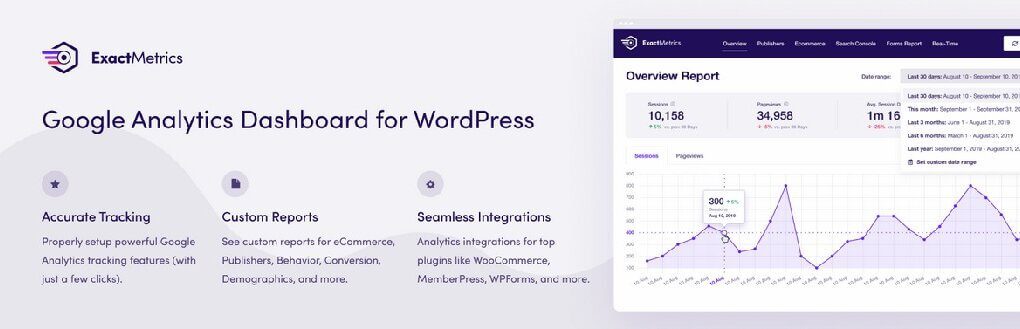
The ExactMetrics Google Analytics for WordPress plugin helps you properly set up all the powerful Google Analytics tracking features without writing any code or hiring a developer. More importantly, over 1 million users love ExactMetrics because of our signature Google Analytics Dashboard that helps you view key Google Analytics stats right inside your WordPress dashboard.
6. All-in-one Google Analytics

Track eCommerce events and conversions in Google Analytics 4, Google Ads, Facebook Pixel & Conversions API, Snapchat, Pinterest, and Tiktok via Google Tag Manager. Build dynamic audiences and track ROAS performance in Google Ads, Meta (Facebook + Instagram), Snapchat, Pinterest, Tiktok, Microsoft Ads, and X to run successful shopping campaigns. Integrate Facebook Conversion API to help maximize the effectiveness of your shop’s eCommerce events.
7. WP Google Analytics Events
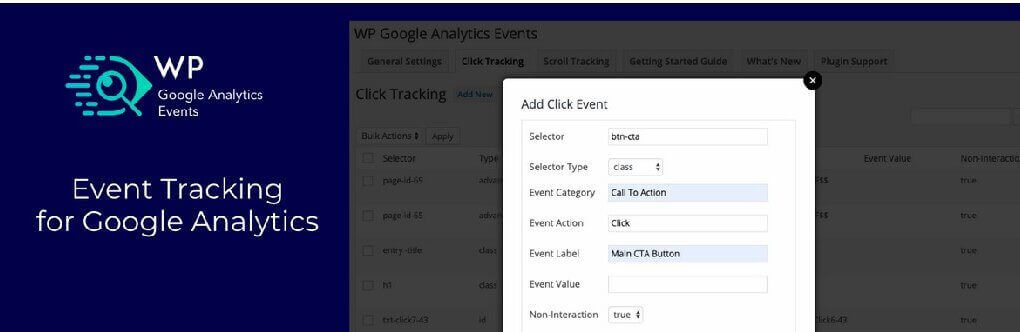
Using WP Google Analytics Events you don’t have to write code to use Events in Google Analytics. The plugin allows you to fire events whenever someone interacts or views elements on your website. You can create a Google Analytics event when a visitor scrolls down and views your pricing table. Track videos, banners, Call to Action buttons, email links, and more.

Hi Ataul
Thanks for this Post. This Post is very fruitful for the WordPress users. I myself is using the WordPress site and surely gonna use these tricks for my site.
Keep up the good work.thanks again…
You’re welcome!